The first time I saw an if sitting on the right side of an =, I assumed it was a typo. It isn’t: since Swift 5.9 an if or switch can produce a value directly instead of just branching to a block of code. These are called conditional expressions, something Kotlin, Rust, Scala, and Ruby have had for years. Here it is in Swift:
let label = if temperature < 68 {
    "Too cold"
} else if temperature <= 72 {
    "Perfect"
} else if temperature <= 85 {
    "Warm"
} else {
    "Too hot"
}The question is when to reach for a conditional expression, instead of a plain if or switch, or the ternary, which has done that job all along.
But first, the basics: what is an expression? What are branch statements like if and switch?
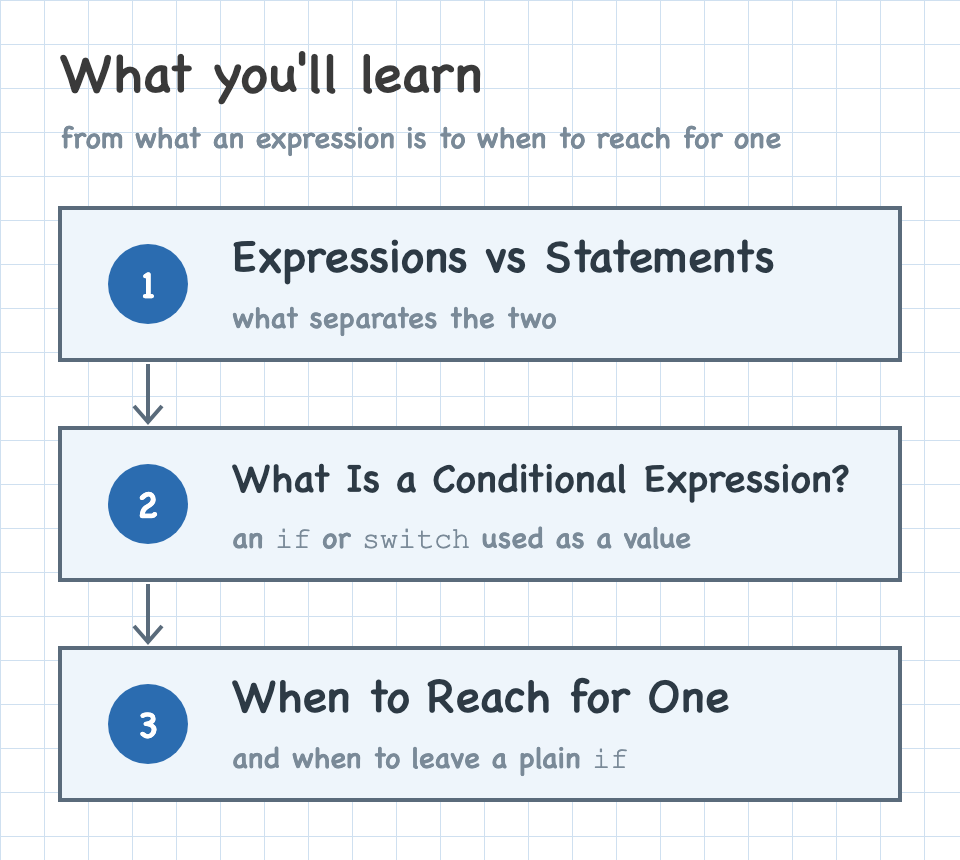
Expressions vs Statements
What is an expression?
An expression is a piece of code that evaluates to a value.
| Kind | Example |
|---|---|
| Literal | 85 |
| Variable | temperature |
| Function call | max(68, temperature) |
| Ternary | temperature > 85 ? "Too hot" : "Not too hot" |
Because an expression produces a value, it can appear anywhere the language expects one: the right side of an =, an argument to a function, the value after return. A quick way to check whether something is an expression is to ask whether you could assign it to a variable.
What are control flow statements?
A statement is an instruction that tells the program to do something. Swift names a few kinds: simple statements, compiler control statements, and control flow statements.
Control flow statements are the group we care about here. They manage execution order: loops, control transfer like return and break, and branch statements. A branch statement picks one of several blocks of code to run; Swift has three: if, switch, and guard.
func checkTemperature(_ temperature: Int) {
if temperature < 68 {
print("Too cold")
} else if temperature > 85 {
print("Too hot")
} else {
print("Warm enough")
}
}What Is a Conditional Expression?
On their own, if and switch are branch statements: they run a block of code but don’t produce a value. A conditional expression is an if or switch placed where a value is expected, so the whole thing evaluates to a value you can assign:
let label = if temperature < 68 {
    "Too cold"
} else if temperature <= 72 {
    "Perfect"
} else if temperature <= 85 {
    "Warm"
} else {
    "Too hot"
}A switch works the same way:
let label = switch temperature {
case ..<68: "Too cold"
case 68...72: "Perfect"
case 73...85: "Warm"
default: "Too hot"
}Besides assignment, a conditional expression can supply the value returned by a function, a closure, or a computed property’s getter:
func label(for temperature: Int) -> String {
if temperature < 68 {
"Too cold"
} else {
"Warm enough"
}
}
let describe: (Int) -> String = { temperature in
if temperature < 68 {
"Too cold"
} else {
"Warm enough"
}
}
var label: String {
if temperature < 68 {
"Too cold"
} else {
"Warm enough"
}
}All three bodies are identical. A single-expression body returns its value implicitly, so none of them needs a return. Writing return if temperature < 68 { … } explicitly works too.
A throw can also take a conditional expression, which supplies the error:
func reject(_ temperature: Int) throws {
throw if temperature < -100 {
TemperatureError.tooCold
} else {
TemperatureError.tooHot
}
}A conditional expression can’t go everywhere an ordinary expression can. It can’t be an argument to a function, and it can’t be part of a larger expression:
print(if temperature < 68 { "Too cold" } else { "Warm" })
// ❌ error: 'if' may only be used as expression in return, throw, or as the source of an assignment
let x = 1 + (if temperature < 68 { 3 } else { 4 })
// ❌ error: 'if' may only be used as expression in return, throw, or as the source of an assignmentEach branch is a single expression
A branch that produces a value is just that value: no intermediate let, no print, no assignment allowed. The print below breaks that:
let label = if temperature < 68 {
print("checking the temperature")
"Too cold"
} else { // ❌ error: non-expression branch of 'if' expression may only end with a 'throw'
"Warm enough"
}No return in a branch
Writing return in each branch doesn’t work:
let label = if temperature < 68 {
return "Too cold" // ❌ error: cannot use 'return' to transfer control out of 'if' expression
} else {
"Warm enough"
}break and continue are rejected the same way.
It must be exhaustive
An if expression needs a final, unconditional else; it can’t end on an else if:
let label = if temperature < 68 { // ❌ error: 'if' must have an unconditional 'else' to be used as expression
"Too cold"
} else if temperature > 85 {
"Too hot"
}I’d argue you usually want a final else anyway for clarity, but that’s another matter.
A switch expression must cover every case the same way.
A branch can throw or never return
Besides producing a value, a branch may throw instead:
func label(for temperature: Int) throws -> String {
if temperature > -100 {
"In range"
} else {
throw TemperatureError.outOfRange
}
}This differs from the throw if earlier, where the whole expression evaluated to an error. Here it evaluates to a String, and one branch throws instead of producing one.
You don’t put try in front of the if; that gets you a warning, 'try' has no effect on 'if' expression.
A throwing branch is the only exception to the single-expression rule. Since it never produces a value, it can run whatever it needs to before throwing:
func label(for temperature: Int) throws -> String {
if temperature > -100 {
"In range"
} else {
let delta = -100 - temperature
print("out of range by \(delta)°")
throw TemperatureError.outOfRange
}
}A branch that calls a function that never returns, like fatalError(), also produces no value, so the type of the other branch becomes the type of the whole expression:
let count = if let cached {
cached
} else {
fatalError("cache was never populated")
}
// count: IntThey nest
A branch can itself be a conditional expression (or a ternary):
let label = if temperature < 68 {
if humid {
"Too cold and damp"
} else {
"Too cold"
}
} else {
"Warm enough"
}Why Use a Conditional Expression?
It helps to compare the traditional ways to derive a value from a conditional statement with what a conditional expression does instead.
Concise conditionals
A conditional that exists only to produce a value carries repetition that adds nothing: the same label = assignment on every branch. A conditional expression drops it. Here’s the statement version:
let label: String
if temperature < 68 {
label = "Too cold"
} else if temperature <= 72 {
label = "Perfect"
} else if temperature <= 85 {
label = "Warm"
} else {
label = "Too hot"
}Compare that to a conditional expression, where the assignment happens once and each branch is only its value:
let label = if temperature < 68 {
    "Too cold"
} else if temperature <= 72 {
    "Perfect"
} else if temperature <= 85 {
    "Warm"
} else {
    "Too hot"
}With a plain if, a branch can also run other statements before it assigns. This one estimates how long the thermostat needs before it reaches the target:
let label: String
if isHeating {
let minutes = (target - temperature) * 4
label = "Heating, about \(minutes) min"
} else if isCooling {
let minutes = (temperature - target) * 6
label = "Cooling, about \(minutes) min"
} else {
label = "At target"
}A conditional expression doesn’t allow this: no let binding, no statement before the result. The computation moves into a named function, and each branch is a condition and its value again:
func heatingLabel(from temperature: Int, to target: Int) -> String {
let minutes = (target - temperature) * 4
return "Heating, about \(minutes) min"
}
func coolingLabel(from temperature: Int, to target: Int) -> String {
let minutes = (temperature - target) * 6
return "Cooling, about \(minutes) min"
}
let label = if isHeating {
heatingLabel(from: temperature, to: target)
} else if isCooling {
coolingLabel(from: temperature, to: target)
} else {
"At target"
}I’d argue this is often clearer on its own merits. The conditional is left doing one job, deciding which case applies, and the arithmetic that produces each value has a name and somewhere to be tested. Mixing the two means reading a formula to work out which branch you’re in.
It isn’t always worth it. Here the computation is a single subtraction:
let label: String
if temperature < 68 {
let delta = 68 - temperature
label = "Too cold by \(delta)°"
} else {
label = "Warm enough"
}Pulling that out into a coldLabel(temperature) function to satisfy the rule buys nothing and costs a jump to another place in the file. Leave that one a plain if.
Cleaner than a nested ternary
I’m not a fan of nested ternaries. They remind me of a server who won’t write your order down, trusting their memory to impress the table. Often enough the order comes back wrong, and you wish they’d written it down. A nested ternary is the same: writing one shows you can hold a dense line in your head, but a bug in it is easy to miss.
Here’s the temperature label as a nested ternary:
let label = temperature < 68 ? "Too cold" : temperature <= 72 ? "Perfect" : temperature <= 85 ? "Warm" : "Too hot"The same logic as an if expression:
let label = if temperature < 68 {
    "Too cold"
} else if temperature <= 72 {
    "Perfect"
} else if temperature <= 85 {
    "Warm"
} else {
    "Too hot"
}Each condition sits next to its result, in the order they’re checked — no chain of : to trace back through.
A switch expression reads even better here, since the ranges line up as cases:
let label = switch temperature {
case ..<68:   "Too cold"
case 68...72: "Perfect"
case 73...85: "Warm"
default:      "Too hot"
}So should conditional expressions replace ternaries everywhere? No. A simple two-way ternary I’d leave alone:
let label = temperature > 85 ? "Too hot" : "Not too hot"The same thing as a conditional expression takes four more lines and reads no better:
let label = if temperature > 85 {
    "Too hot"
} else {
    "Not too hot"
}Save conditional expressions for the cases where the ternary would nest.
One difference to know about before converting a ternary: the two sides of a ternary get unified into a single type, but the branches of a conditional expression are type-checked independently and have to already agree. So this ternary is fine:
let adjustment = temperature > 85 ? 0 : 1.5 // adjustment: Doubleand the same thing as an if expression isn’t:
let adjustment = if temperature > 85 {
    0   // ❌ error: branches have mismatching types 'Int' and 'Double'
} else {
    1.5
}The fix is to name the type:
let adjustment: Double = if temperature > 85 {
    0
} else {
    1.5
}No silently unhandled case
With a plain if/else, a common pattern is to declare a var with a default, then set it inside the branches:
var label = ""
if temperature < 68 {
    label = "Too cold"
} else if temperature > 85 {
    label = "Too hot"
}The whole 68–85 range never got handled, so at 80° label silently stays "" — the wrong answer, and nothing flags it.
The real problem here is a missing else, a plain bug. A cleaner way to write the traditional version is a let with no default:
let label: String
if temperature < 68 {
    label = "Too cold"
} else if temperature > 85 {
    label = "Too hot"
}
print(label) // ❌ error: constant 'label' used before being initializedNow the compiler catches it: with no default to fall back on, reading label on a path that never assigned it won’t build. That’s the better pattern. But it depends on the author choosing it; the next person who writes var label = "" is back to the silent bug.
A switch statement helps, since it forces you to cover every case. But covering a case isn’t the same as assigning in it — a default: break leaves label at "" just the same:
var label = ""
switch temperature {
case ..<68:   label = "Too cold"
case 68...85: label = "Warm enough"
default:      break
}
print(label) // "" at 90° — every case covered, nothing assignedWith an if, a conditional expression makes the compiler enforce it, so it holds no matter who writes it. That’s the exhaustiveness rule from earlier:
let label = if temperature < 68 {
    "Too cold"
} else if temperature <= 72 {
    "Perfect"
} else if temperature <= 85 {
    "Warm"
} else {
    "Too hot"   // required — without this else, it won't compile
}When to Reach for One
Conditional expressions didn’t add anything you couldn’t write before. They took a pattern that was already common, a conditional that exists only to pick a value, and gave it syntax that drops the repetition and makes the compiler check every case.
Use one when that’s the case, and especially when the alternative is a nested ternary. Skip it for a simple two-way ternary, or when a branch has work to do before it has a value.
An if on the right side of an = still catches my eye, but it doesn’t look like a typo anymore.